


Windows is considered the most widely used operating system in the world. Even if we're enthusiasts of its technology and know everything it offers, there's always something we miss. So, if you want to understand how your PC really works and stay on top of all the processes it's performing, we recommend a specific tool that you may not have discovered yet, and which you need more than you think.
Microsoft has integrated many features into Windows throughout its history. Now, with the unique layout of Windows 11, developers continue to create various solutions that significantly improve its performance. However, some iconic programs that first appeared in the 1990s remain essential for troubleshooting and system monitoring. We're talking about the Windows Event Viewer. But what exactly is it, and what is it used for?
The Windows Event Viewer as an event reporter
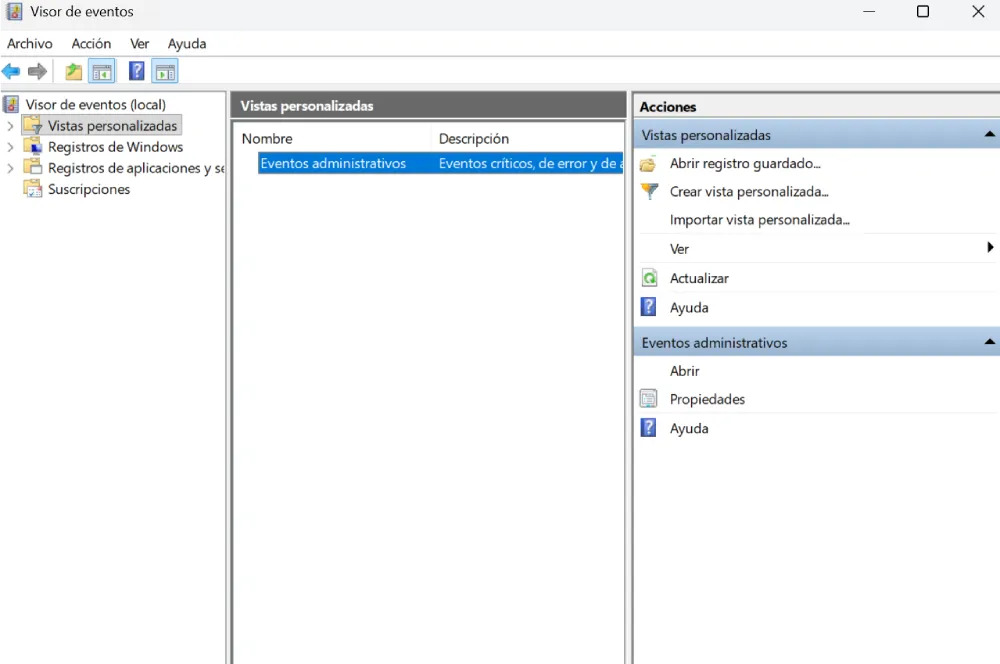
If you're completely unfamiliar with this program, we'll give you a brief summary. The Event Viewer has been around since Windows NT 3.1 and is a plugin that logs the most important events that occur on your computer. For example, it details recently encountered errors, as well as failures caused by restarts or security warnings.
The goal is to provide a diagnostic report of problems in the form of a diagram, allowing users to understand what happened in the event of a system failure. Meanwhile, it runs in the background, constantly communicating the status of hardware components and interacting with various services to send information whenever any event occurs.
How do I access it?
To access this tool, simply go to the search bar located in the Start menu button and type "Event Viewer". Alternatively, you can use the command eventvwr.msc, which should be entered in the Run dialog box (Windows + R).
Is it really useful?
When a critical error occurs on your PC or an application crashes, Windows rarely provides specific details. It simply alerts you that something went wrong. However, with the Event Viewer, you can clearly see what went wrong and the specific reason behind it through a more thorough analysis.
Its main advantage is that it generates fault codes that reside in the application as Event IDs. This allows a technician to note the error if it requires repair. Furthermore, custom Views can be created to represent different events and categorize them according to various criteria. This way, they are all grouped in one place, making it much more convenient and eliminating the need to repeatedly apply filters.
It can also be useful for determining whether it was an isolated failure caused by a system component. Therefore, another of its key functions is to track and detect conflicts and instabilities that have recently occurred and caused the equipment to malfunction.
When is it appropriate to use it?
If you've ever experienced unusual behavior on your computer and don't know what happened, it's time to check the Event Viewer. After witnessing a blue screen or an unexpected restart, you can see what caused it. The logs will show the exact date and time of the incident, allowing you to pinpoint the source of the problem.
Security logs are also reviewed, and the Event Viewer is often used during audits. This will indicate if there has been unauthorized access to files or account changes in order to identify fraudulent activity.
In any case, you should use it whenever you're prepared to resolve the issue and know exactly where to go. If you use it regularly, it will be a great help.

